Dive log app for iPhone and Android
Every sea you've dived,
in a logbook that lasts.
Import from your dive computer and keep each dive with its photos, videos and signatures. DiveLog takes the effort out of logging so you can properly keep your memories.

Sound familiar?
“Logging is a chore, so my dives pile up unlogged”
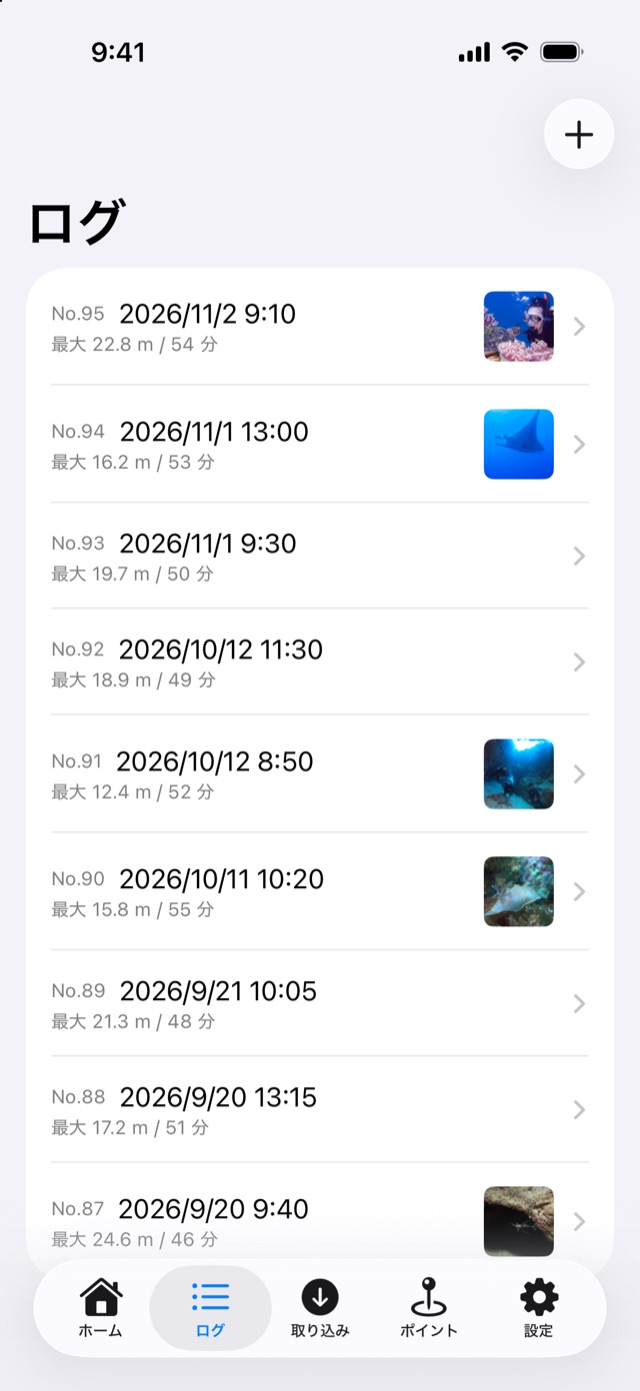
→Import your dive computer's records over Bluetooth and you instantly get a log with the time, depth and water temperature filled in.
“Paper logbooks are bulky, and I'm afraid of losing mine”
→Create an account and your logs are stored on our server. When you change phones, your logs, photos, videos and signatures all come with you.
“My photos, videos and logs end up in different places”
→Attach photos and videos to each log. Videos can be up to 5 minutes long and are compressed to 1080p on your phone. When you look back later, the sea of that day comes right back to you.
Import and look back
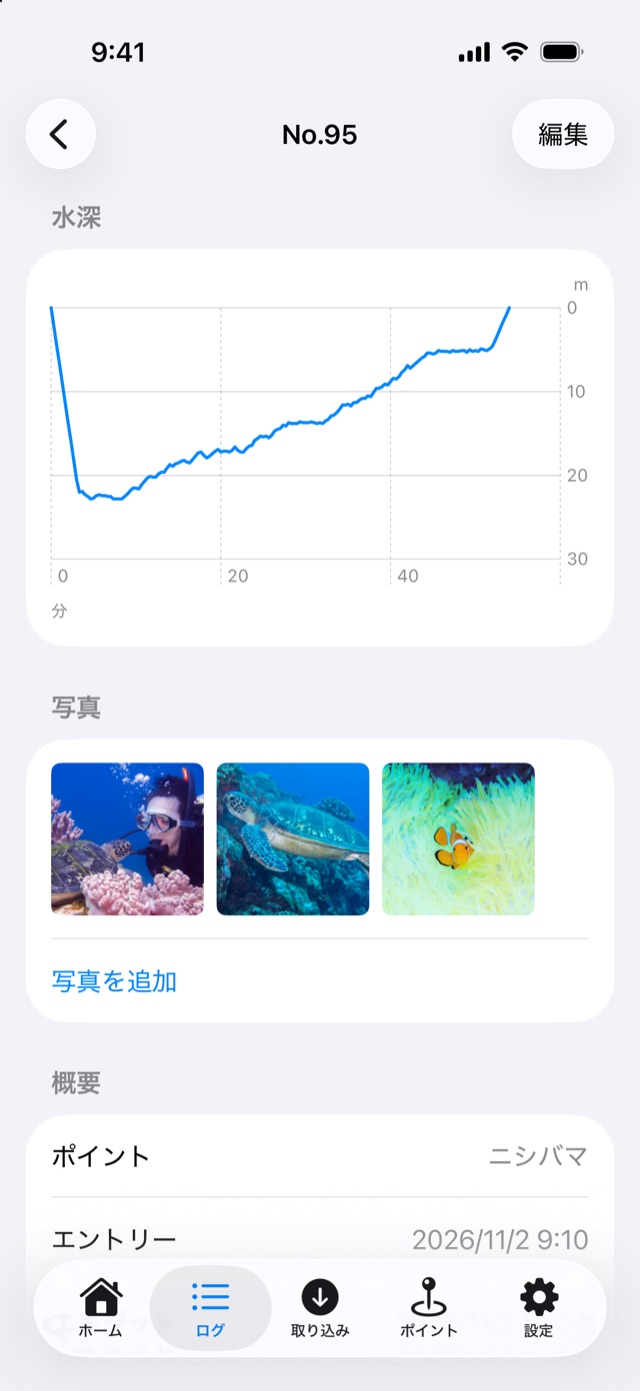
Import from your dive computer, look back with the depth profile
Import your dive computer's records to your phone over Bluetooth. See how the depth changed over each dive in a graph. You can also record the gas you used, remaining pressure, visibility, weight and more.
- Currently supports the Aqualung i300C. We'll add more models over time
- Import past logs from UDDF files exported by other apps
- No dive computer? You can still log dives by hand
Signatures and comments
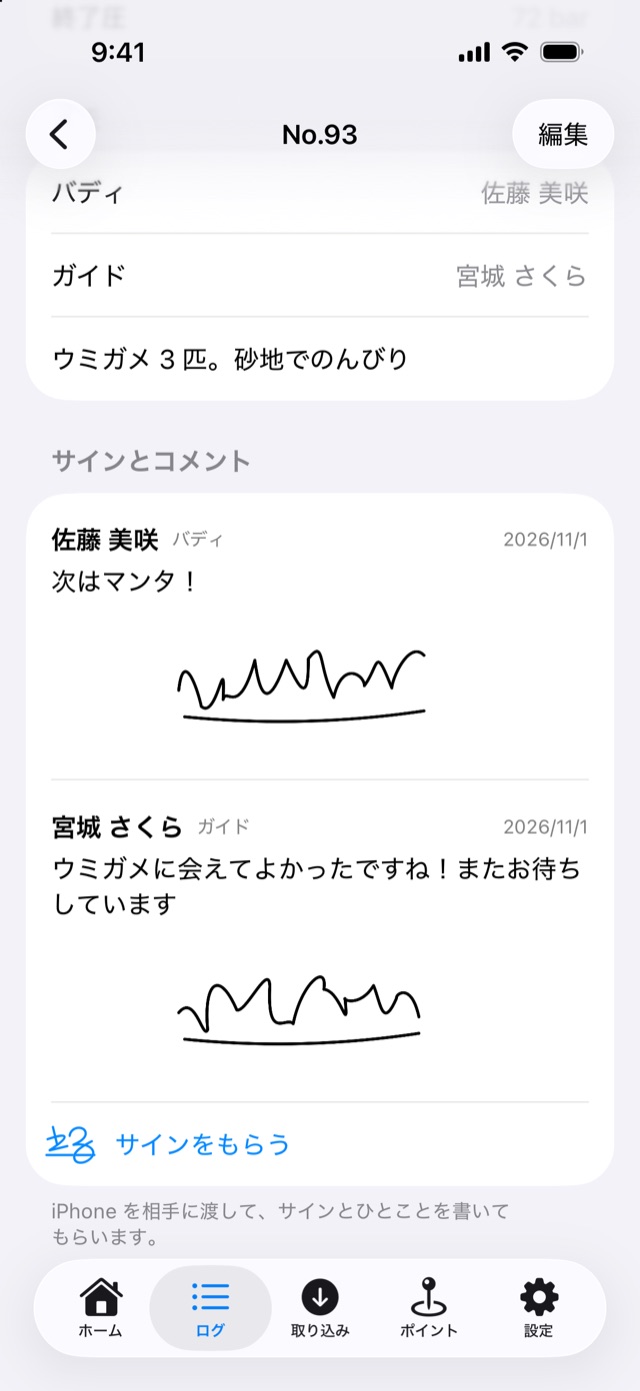
Get your buddy's and guide's signatures on the spot
Hand over your phone and they can sign with a finger and add a short comment. Just like a paper logbook, the memories stay in your log.
- Scan the QR code your guide shows you to receive a log with the guide's signature and dive computer records
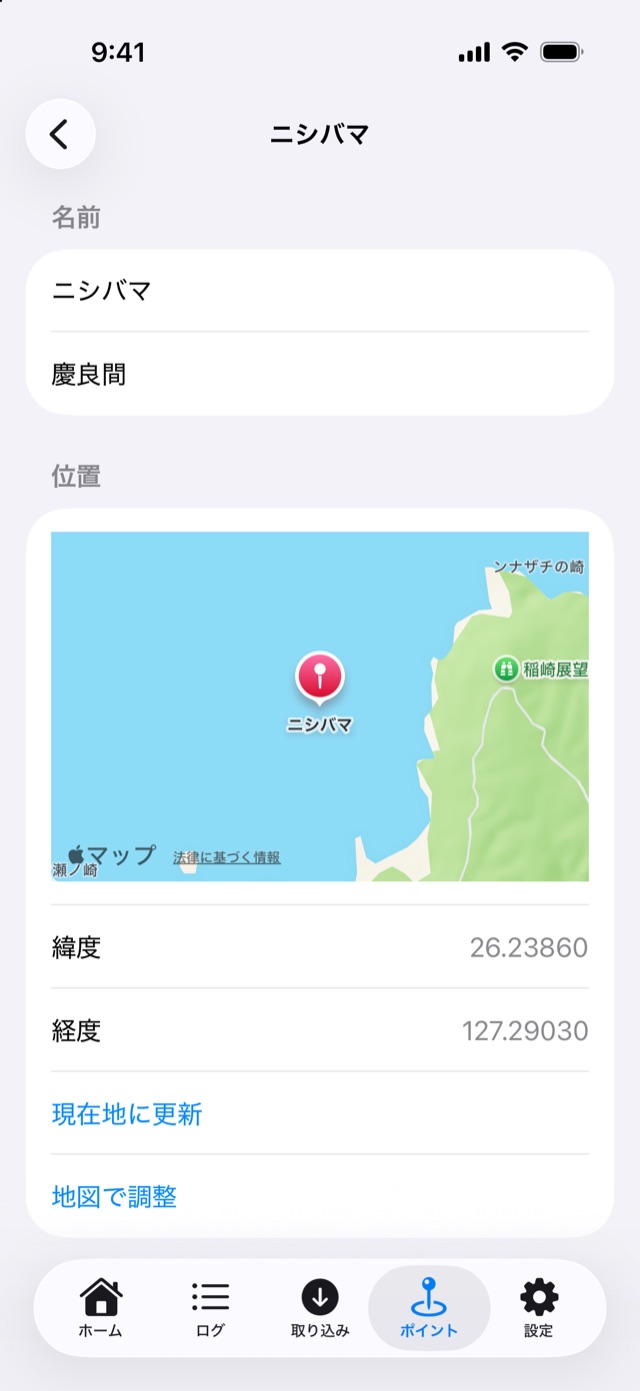
Dive sites
Keep the dive sites you've dived on a map
Save the location of a dive site on a map. With “Save current location,” you can record the spot even at the shore where there's no signal. See all the dive sites you've dived together on one map.
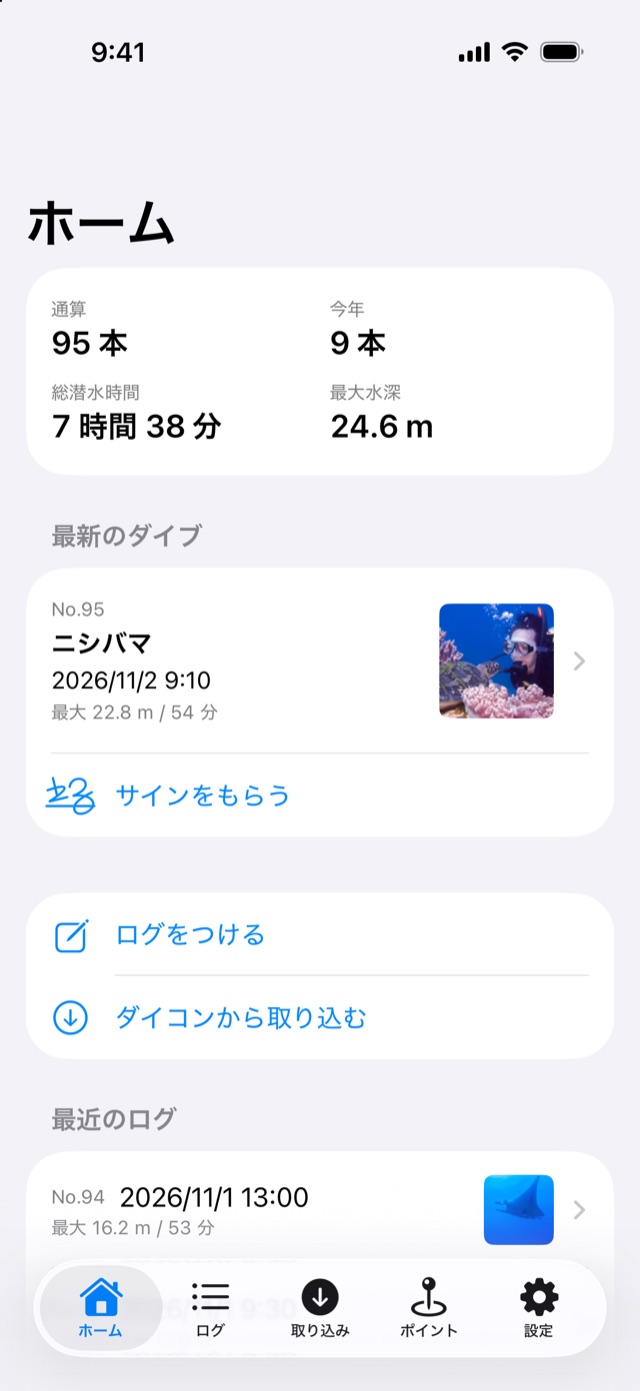
Stats and records
Total dives, gear and C-cards, all in one place
Check your total dives, total dive time and max depth on the home screen. Stats show your dives per year and how your SAC rate has changed. You can also keep track of the marine life you've seen, upcoming gear service dates and your C-card numbers.
- Start with the number of dives you've already logged
And more
Sightings
Record the marine life you saw on each dive, and find past logs by species.
Gear service
When a service date is coming up, you'll get a reminder on the home screen.
C-cards
Keep your certification agency, certification level, number and a photo of the card, and show them at the dive shop. Choose your level by its official name for each agency. Photos are stored only on your phone.
View on your computer too
View your own logbook from a web browser.
Area stats
See monthly water temperature, visibility and frequently seen marine life for each area, combined from DiveLog divers' logs. Names and dates are never shown.
7 languages and your units
DiveLog follows your phone's language setting: English, Japanese, Chinese (Simplified), Korean, French, German or Spanish. Switch to ft, °F and other imperial units in Settings.
Pricing
Logging dives is free, with no limit on the number of dives.
Free
¥0
Logging and syncing, importing from dive computers, and up to 1GB of storage for photos, videos and signatures
Photos & Videos 10GB
¥160 / month
¥1,600 / year
Photos & Videos 50GB
¥480 / month
¥4,800 / year
Paid plans are for those who want to store lots of photos, videos and signatures. A plan's storage replaces the free 1GB.
Prices shown are for Japan. The App Store shows the price in your country's currency.
FAQ
- Is it free?
- Logging dives, syncing, importing from dive computers and UDDF files, exporting to UDDF, CSV and PDF, and receiving logs by QR code are free. There's no limit on the number of dives you can log. Storing photos, videos and signatures is free up to 1GB.
- Can I use it without a dive computer?
- Yes. You can add logs by hand, including past dives that are no longer stored on your dive computer.
- Can I switch from another log app?
- If the app can export in UDDF format, you can import your past logs from that file. The date and time, dive time, depth, water temperature, depth profile, dive site, buddy and notes carry over. You can also export your DiveLog logs to UDDF, CSV or PDF files from Settings.
- Is it available on Android?
- Yes. Get it on Google Play. Log in with the same account as on your iPhone to carry over your logs, photos, videos and signatures.
Make your next dive a DiveLog dive.
Carry over the number of dives you've already made and get started right away.